The clinic’s overview.
The patient’s detail.
A clinical product connecting the caseload, rehabilitation plans and the detail of care. Product direction, information architecture and implementation.
- Scope
- Product direction · Interaction design · Web + iOS
- Project
- Owned product · Private pilot · Dan Andrews · 2026
A plan builder is only one part of running a clinic.
A physiotherapist moves between many patients and the detail of one recovery. Kaido gives those tasks different levels of information within a connected workspace. I designed and built the product around that movement, across web and native iOS.
Separate the clinic’s overview from the detail of a plan. Each level answers a different question, while the product connects them.
Inside the product
Explore the caseload, patient rehabilitation and protocol research. Captured from the working web app with fictional demo patients.
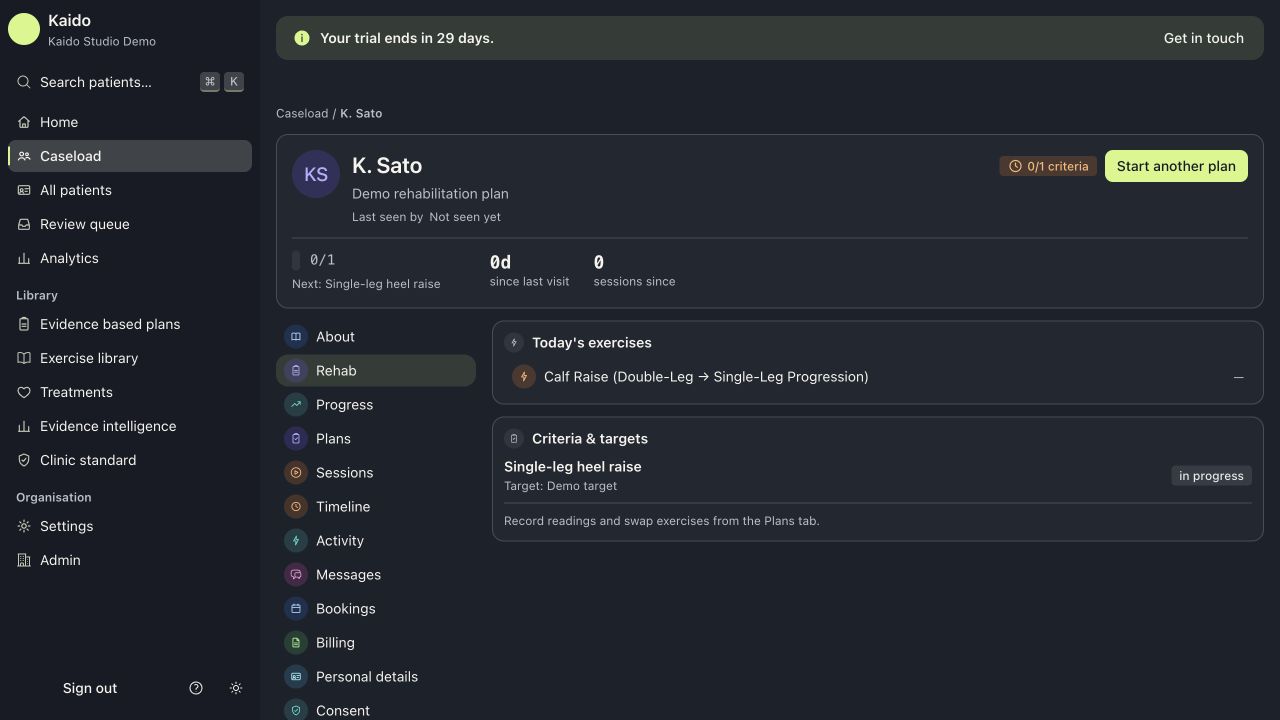
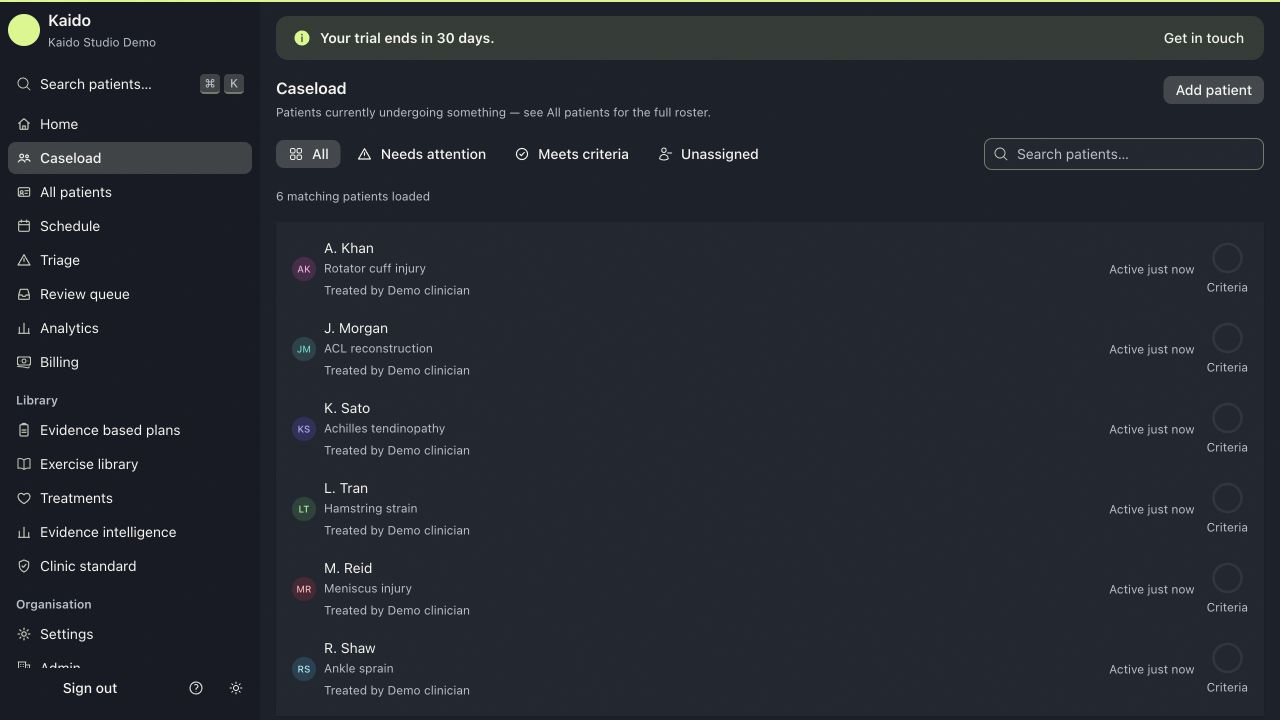
Find the patient. Then change the reading depth.
The caseload establishes patient, condition and clinician context. Opening an individual record changes the scale of the information: exercises, criteria and the rehabilitation plan have their own space.
The distinction is visible in the captured screens. The list supports scanning across a clinic; the patient view supports attention to one person. Demonstration patients are fictional.
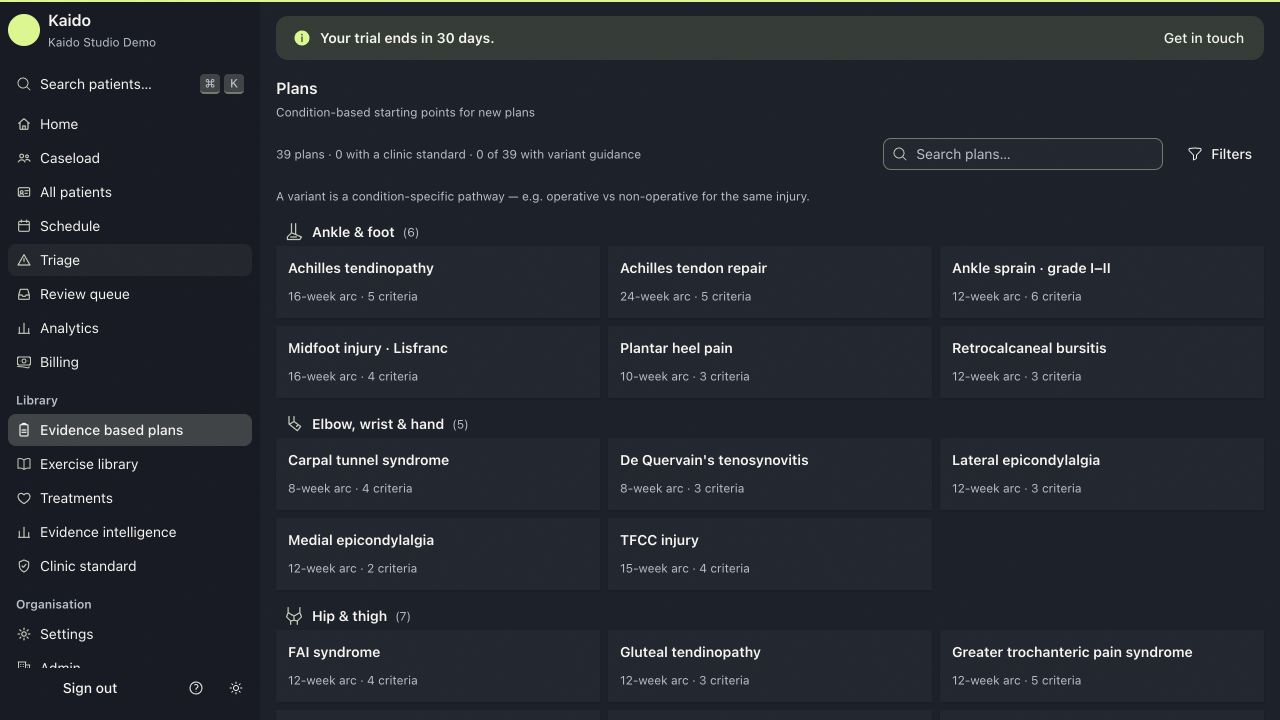
Choose a starting point before opening the detail.
The condition library groups protocols by body region, rehabilitation arc and criteria count. That shared structure makes the starting points comparable.
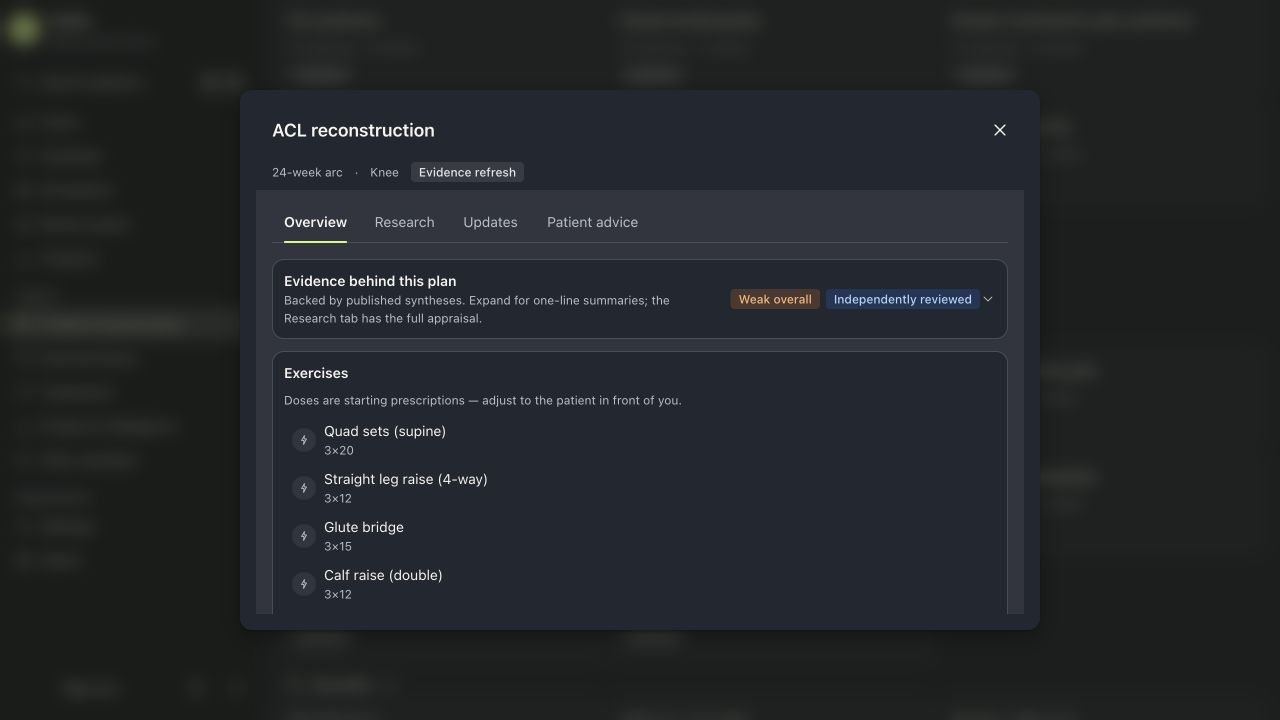
Opening a protocol gives exercise and dosage information a separate workspace. The full capture and reading detail below show the same Overview screen at two scales.
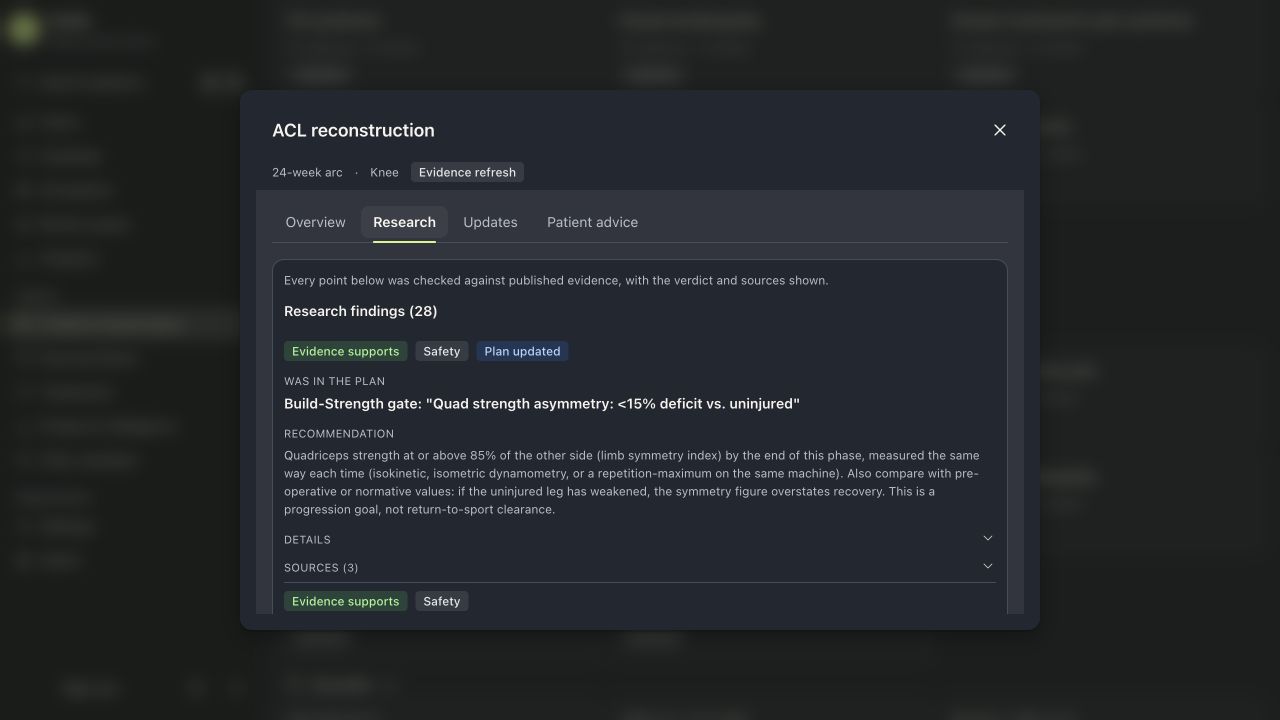
Make the reasoning available at the right depth.
Overview and Research are separate reading modes. The exercise list stays concise; the research view presents the previous plan text, recommendation, supporting detail and sources.
The interface lets a clinician inspect the basis of a protocol without placing the full appraisal beside each exercise. This is evidence of information design, not a claim of clinical effectiveness.
An owned product spanning the clinic’s daily work.
I set the product direction, designed the information architecture and built Kaido across web and native iOS, connecting clinic context with the detail of a rehabilitation plan.
What the work demonstrates
A connected information hierarchy across caseload, patient context, protocol selection and research inspection.
Inspect the protocol workspace ↗Project status
Owned product · Private clinic pilot. Captures use fictional patients. Clinical outcomes, adoption and renewal figures are not claimed.
Making a complex workspace clearer?
Discuss a project ↗